
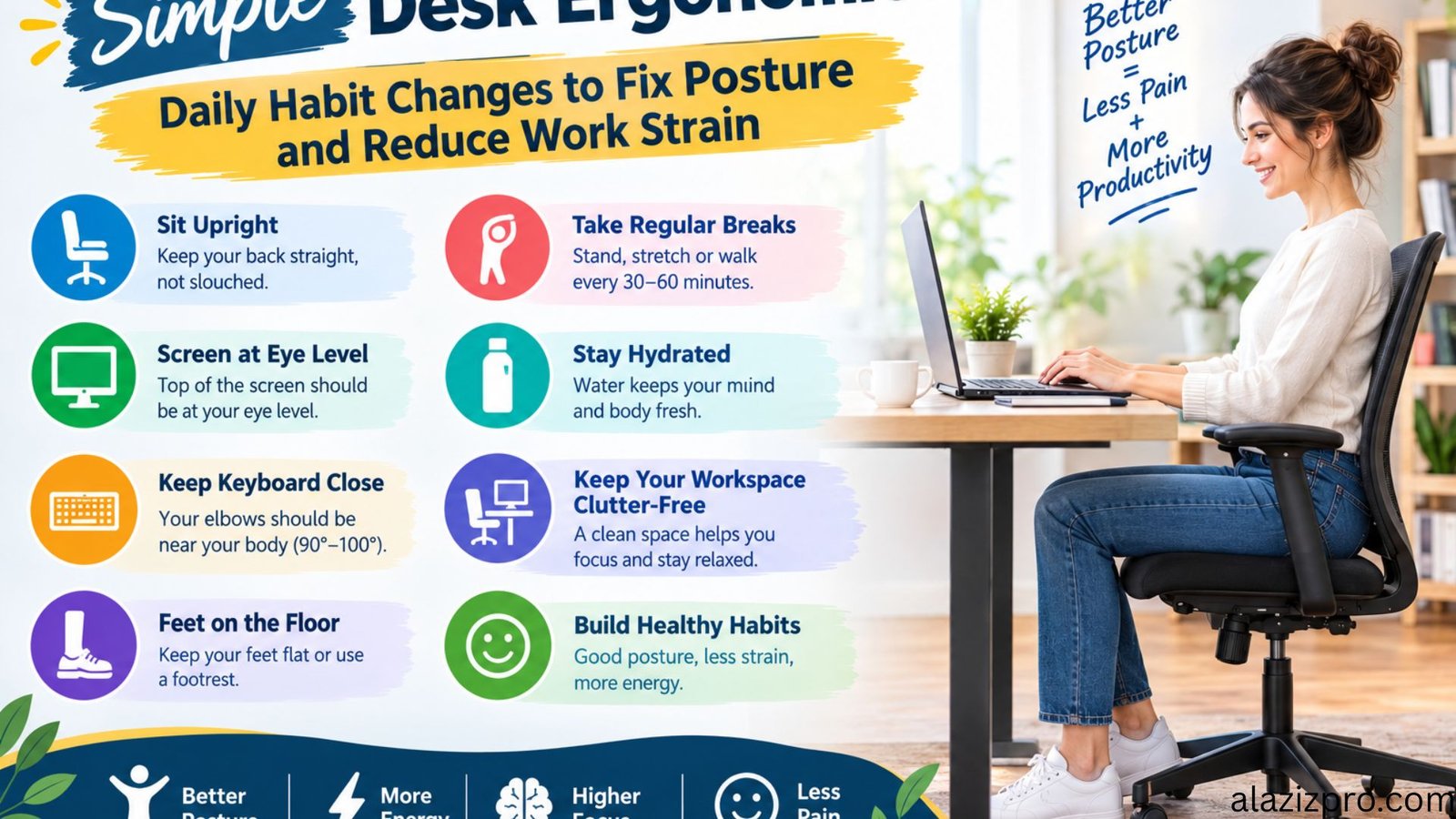
desk ergonomics remote work posture fixes
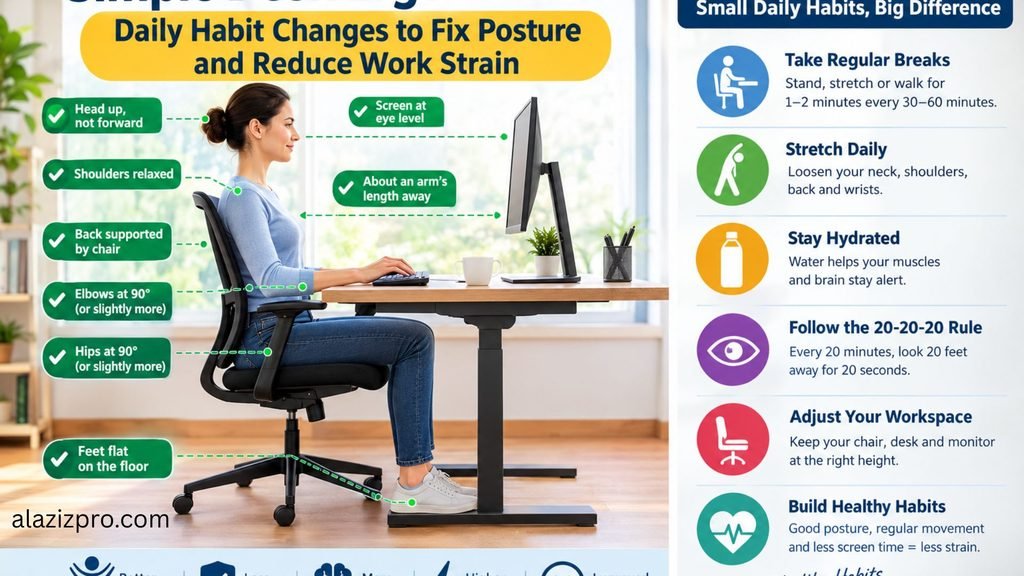
Working from a home desk or flexible workspace offers great independence, but it often comes with physical drawbacks. Slouching over a low laptop screen, sitting on unsupportive chairs, and staying seated for long periods without breaks frequently lead to chronic neck tension, lower back stiffness, and wrist discomfort. Over time, these daily physical strains reduce your productivity and impact your overall health.
You do not need to spend thousands of dollars on high-end specialized office furniture to build a comfortable workspace. Making a few intentional adjustments to your daily desk setup and forming simple movement habits can dramatically improve your posture and eliminate physical fatigue.
1. Elevate Your Display to Natural Eye Level
The most common cause of upper back and neck strain is looking downward at a laptop screen for hours at a time. When your head tilts forward, it puts significantly more pressure on your cervical spine, leading to muscle fatigue and daily headaches.
Your screen should sit directly in front of you so that your eyes line up naturally with the top third of the display.
- Practical Fix: Use a simple laptop stand or a stack of sturdy books to lift your screen to eye level. When using an elevated laptop, always plug in an external keyboard and mouse so your hands remain resting comfortably at desk level.
2. Position Your Arms and Shoulders for Neutral Typing
Typing on a keyboard that sits too high forces your shoulders to stay raised, causing shoulder tightness. Conversely, reaching forward for a far-away keyboard strains your wrists and forearms.
Your forearms should rest parallel to the floor, forming a ninety-degree angle at the elbows. Your wrists should stay flat and neutral rather than bent upward or downward while typing.
- Practical Fix: Adjust your chair height so your elbows align naturally with the desk surface. Relax your shoulders completely, and keep your mouse and keyboard close enough that your elbows remain resting gently by your sides.
3. Secure Proper Lower Back and Leg Support
Sitting on a flat, unsupportive chair forces your lower spine to curve outward, putting heavy pressure on your lumbar discs. Additionally, letting your feet dangle without floor contact restricts blood circulation in your legs.
Your lower back requires a slight inward curve, and your feet should rest flat on the floor with your knees bent at a comfortable right angle.
- Practical Fix: If your chair lacks built-in lumbar support, place a rolled-up towel or a small cushion behind your lower back. If your feet do not touch the floor comfortably after adjusting your chair height, use a firm footrest or a low wooden block.
4. Practice the Twenty-Twenty-Twenty Rule for Eye Comfort
Staring at a bright screen continuously causes digital eye strain, dryness, and difficulty focusing at the end of the workday. Eye fatigue also subconsciously causes people to lean closer to their screens, ruining their neck alignment.
Giving your eye muscles regular resting intervals prevents strain and helps maintain proper sitting posture throughout the afternoon.
- Practical Fix: Every twenty minutes, pause your work and look at an object at least twenty feet away for twenty seconds. This quick break allows your eye focusing muscles to relax completely.
5. Integrate Micro-Movement Breaks Into Your Routine
Even the most ergonomically correct posture becomes stressful to the body if maintained for six to eight hours without interruption. Human joints and muscles require regular movement to stay lubricated and maintain blood flow.
Building short, frequent movement breaks into your daily routine is far more effective than trying to compensate with a single workout at the end of the day.
- Practical Fix: Set a silent hourly timer. Spend two minutes standing up, stretching your chest muscles, rolling your shoulders backward, and taking a short walk around your room before resuming work.
Final Recommendation
Improving your physical comfort at work is a continuous process of small adjustments rather than an expensive overnight overhaul. By raising your screen, supporting your lower back, and moving regularly, you protect your physical health and build a sustainable, comfortable working environment.
Leave your comment about this